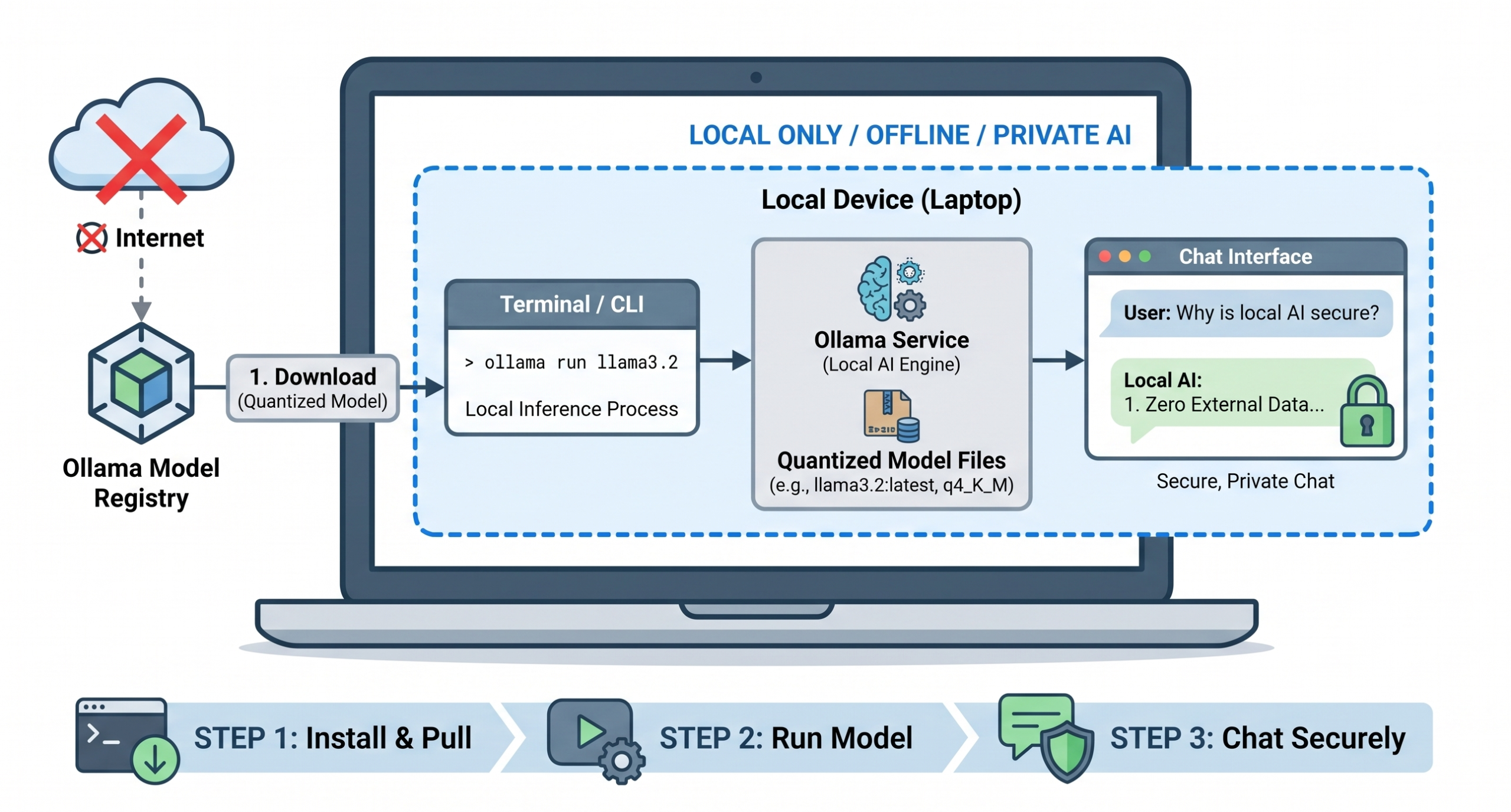
Forget the driver hellscape of yesteryear. The promise of running a private, capable AI entirely on your own laptop is no longer a weekend project for masochists. Ollama has boiled the process down to three steps that work across macOS, Windows, and Linux, making the whole ordeal take less time than a pizza delivery.
The tool has earned its place as the standard for local inference by acting like Docker for LLMs. It abstracts away the messy guts—CUDA configurations, Python environments, and dependency conflicts—into a clean background service. You grab the installer, run a single command like ollama run llama3.2, and the system handles pulling the roughly 2.0 GB model file before dropping you straight into an interactive chat.
That deceptively small 2.0 GB download is a feat of engineering. A raw 3-billion parameter model would hog about 6 GB of VRAM. Ollama defaults to 4-bit quantization (q4_K_M), a compression technique that shrinks the model’s footprint by over 60% with only a minor fidelity trade-off. This is the critical hack that lets a genuinely useful model run smoothly on a standard MacBook or PC without melting your RAM.
You should still keep your expectations grounded. The piece notes that compact 3B models can show “signs of strain” when resources get tight. The real skill isn’t just getting it running—it’s learning to spot the difference between snappy, coherent output and the degraded rambling of a starved model. But for zero dollars per token and total privacy, it’s an insane value proposition that was pure science fiction just a year ago.