If you’ve spent any time running small language models locally, you’ve probably noticed the elephant in the room: Ollama, LM Studio, and llama.cpp all run the same core inference engine under the hood. So why do they feel like completely different tools? Because developer experience and abstraction level are where the real battle lies, and picking the wrong one can quietly throttle your productivity.
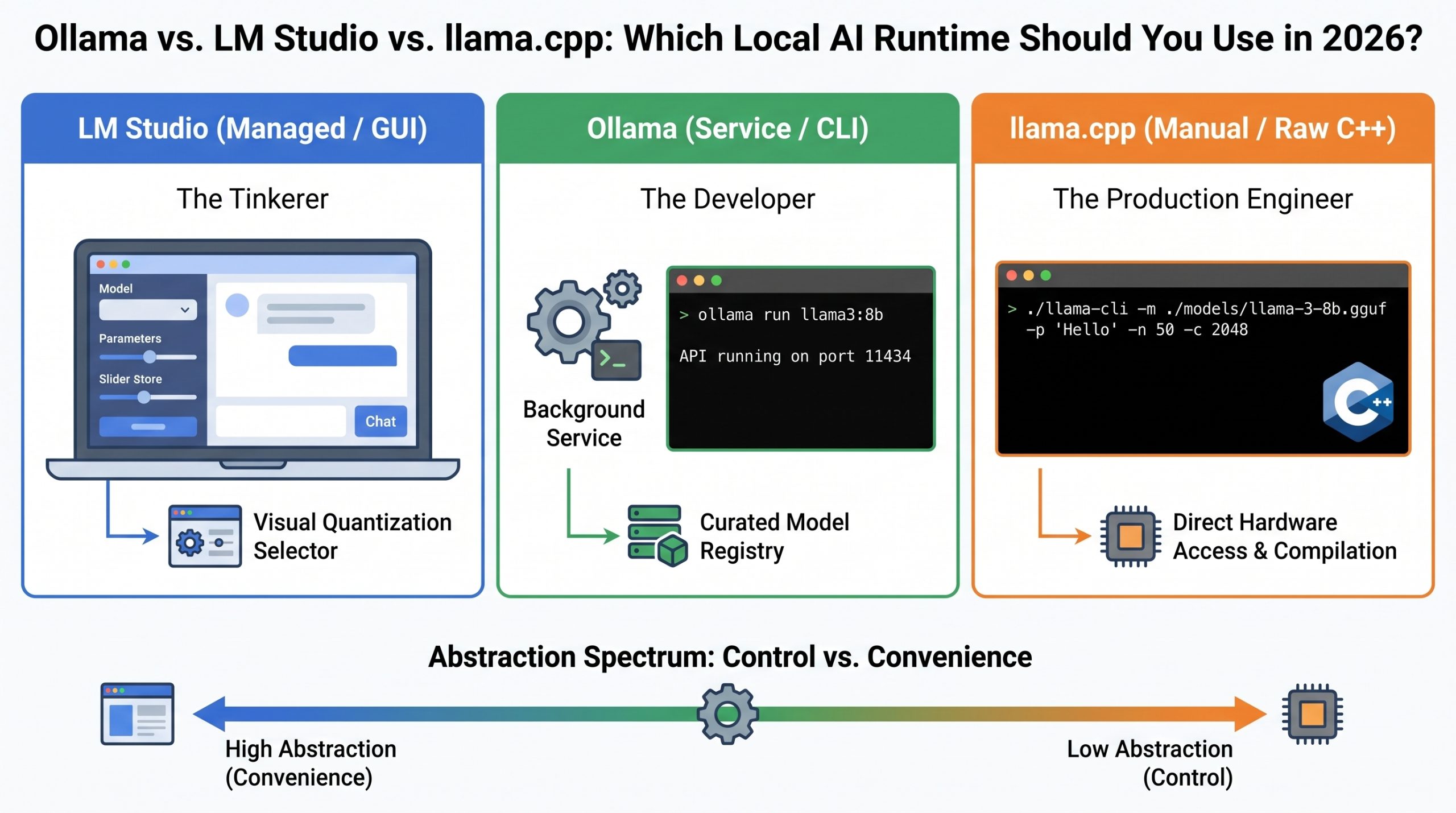
The code contrast makes this painfully clear. Want a Llama 3.2 model to say “Hello”? In LM Studio, you’re clicking around a ChatGPT-style GUI and hitting a friendly local API endpoint. Ollama tucks every complex parameter behind a single, clean CLI command. llama.cpp puts it all on the table—model path, token limits, GPU layer offloading with -ngl, the works. You’re not just running a model; you’re defining every aspect of how inference happens. That spectrum from “managed” to “manual” is the entire game.
The differences compound when you look at the five axes practitioners actually care about. On integration, both Ollama and LM Studio expose /v1/chat/completions endpoints, letting you swap out OpenAI’s cloud API by changing a base URL. llama.cpp can do this too, but you’ll need to get comfortable with shell scripts and parameter flags. When it comes to quantization control, LM Studio shines with a visual, color-coded list showing whether a model will actually fit in your RAM before you download—a feature that saves real time and frustration. Ollama defaults to a solid 4-bit quant and lets you tag specific variants, while llama.cpp hands you the raw scripts to quantize PyTorch tensors yourself.
Most practitioners follow a natural progression through these tools. You start with Ollama because it just works and has a Docker Hub-like registry for model discovery. As your need for fine-grained control grows—wanting to offload exactly 33 layers to GPU, or test a bleeding-edge quant—you’ll find yourself reaching for LM Studio’s visual sliders. Eventually, when you’re prototyping a production server or need deterministic, scriptable builds, you’ll end up staring at llama.cpp’s raw CLI. The right tool isn’t a constant; it’s a function of how much of the stack you’re willing to manage at any given moment.